


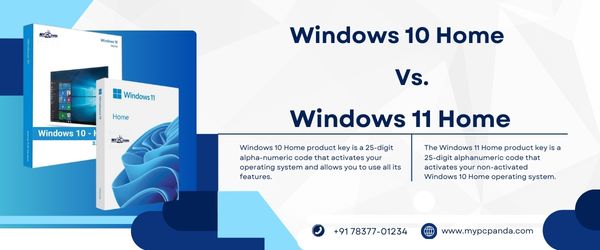
Choosing the right operating system is important for productivity, gaming, browsing, office work, online classes, entertainment, and overall PC performance. Many users compare Windows 10 Home and Windows 11 Home to understand which version offers better security, smoother multitasking, modern features, and long-term usability.
Both operating systems are designed for regular users, students, home users, gamers, and professionals. However, Windows 11 Home introduces a modern user interface, stronger security requirements, AI-powered productivity features, and improved multitasking capabilities compared to Windows 10 Home.
Modern users require operating systems that support:
Using the right Windows version helps improve system performance, security, workflow management, and long-term stability.
Many users also combine Windows activation with a Microsoft Office License Key and trusted PC Security Software for a more secure and productive work setup.
Windows 10 Home is designed mainly for regular users who need stable performance for browsing, office work, entertainment, gaming, and personal usage.
It includes features such as:
Windows 10 Home became popular because of its familiar interface, strong compatibility with older hardware, and stable performance.
Windows 11 Home is the newer version of Windows designed with modern UI improvements, AI-powered productivity features, stronger security, improved multitasking, and better gaming technologies.
Windows 11 Home includes:
Microsoft redesigned Windows 11 Home to improve productivity, security, and modern computing experiences.
| Feature | Windows 10 Home | Windows 11 Home |
|---|---|---|
| User Interface | Traditional | Modern Redesigned UI |
| Start Menu | Left-Aligned with Tiles | Centered Minimal Design |
| Snap Layouts | Basic | Advanced |
| Virtual Desktops | Basic | Improved |
| Widgets | Limited | Integrated |
| Gaming Features | Standard | Auto HDR & DirectStorage |
| Android App Support | No | Supported |
| TPM 2.0 Requirement | No | Yes |
| AI Features | No | Copilot Integration |
| Security Features | Good | Enhanced |
| Microsoft Store | Traditional | Redesigned |
| Touch Experience | Basic | Improved |
| Multitasking | Standard | Advanced |
| System Requirements | Lower | Higher |
Windows 10 Home uses the classic Start Menu and taskbar layout familiar to most users since earlier Windows versions.
Features include:
Many users still prefer Windows 10 because of its familiar workflow and easier customization.
Windows 11 Home introduces a modern centered taskbar, redesigned Start Menu, rounded corners, improved animations, and cleaner visual design.
Windows 11 focuses on:
Microsoft describes Windows 11 as more visually refined and productivity-focused compared to Windows 10.
Windows 10 supports basic multitasking features including:
However, multitasking capabilities are simpler compared to Windows 11.
Windows 11 significantly improves multitasking with:
Windows 10 still provides excellent gaming compatibility and stable gaming performance for most PC users.
Windows 11 introduces advanced gaming technologies such as:
These features improve gaming visuals and loading performance on supported hardware.
Gamers often combine Windows gaming environments with trusted Internet Security Antivirus protection for safer online gaming.
Windows 10 Home includes:
Security remains strong for regular users.
Windows 11 Home introduces stronger security requirements and modern protection technologies including:
Microsoft focuses heavily on zero-trust and hardware-based security in Windows 11.
Windows 10 supports older hardware more easily and works well on lower-end systems.
Minimum requirements include:
Windows 11 requires newer hardware for security and performance improvements.
Requirements include:
Older systems may not support Windows 11 officially.
Windows 10 Home is generally better for older computers because:
Users with unsupported hardware often continue using Windows 10 for smoother compatibility.
Windows 11 Home is usually better for modern systems because of:
Users purchasing new devices often prefer Windows 11 Home for future-ready productivity and security features.
Microsoft officially ended support for Windows 10 on October 14, 2025. Users remaining on Windows 10 may no longer receive regular security updates unless enrolled in extended support programs.
This is one major reason many users are upgrading to Windows 11.
Using unofficial or cracked Windows versions can create security risks, activation problems, update failures, and system instability.
A genuine Windows license provides:
Users using a trusted Windows Activation Key generally experience smoother updates and safer long-term usage.
A productive and secure setup generally includes:
Many users also install Quick Heal Antivirus, Kaspersky Antivirus, or ESET Antivirus alongside Windows activation for additional security.
My Pc Panda provides digital software licenses for Windows activation, Microsoft Office products, antivirus software, and productivity-related solutions. Users can purchase software online and receive activation details digitally after successful order completion.
This helps users activate software quickly without waiting for physical delivery. The platform is useful for students, professionals, freelancers, office users, and businesses looking for quick software setup and activation support.
Both Windows 10 Home and Windows 11 Home are reliable operating systems for regular users. Windows 10 Home remains a stable choice for older hardware and users who prefer a familiar interface. Windows 11 Home provides modern UI improvements, advanced multitasking, stronger security, AI-powered features, and better gaming technologies for newer systems.
Choosing the right version depends mainly on your hardware compatibility, productivity needs, gaming requirements, and long-term security expectations.