Download Windows 10 ISO safely and install the latest version on your PC with this complete step-by-step guide. Learn official download methods, 32-bit and 64-bit setup options, bootable USB creation, system requirements, and genuine activation tips for smooth performance.
Youtube Video Link - https://www.youtube.com/watch?v=TGLiLdGn9ZQ
Before you start downloading, make sure that your system meets the minimum requirements. Here are the minimum system requirements:
It is always a good idea to create a backup of your data before installing or upgrading your operating system. This will ensure that you don't lose any important files during the installation process.
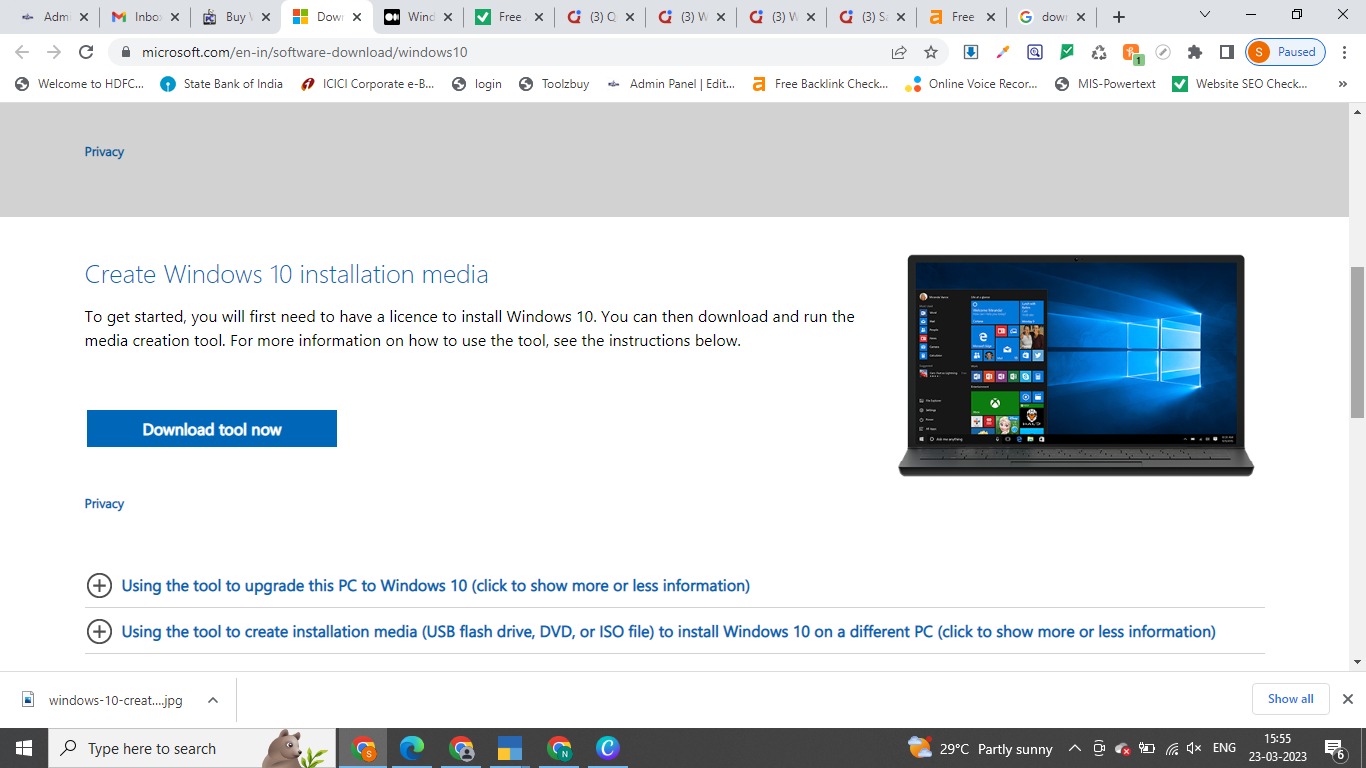
The first thing you need to do is to download the Media Creation Tool from Microsoft's website. You can do this by navigating to https://www.microsoft.com/en-us/software-download/windows10 and clicking on the Download tool now button. 18.6 MB Media Creation Tool will be downloaded.
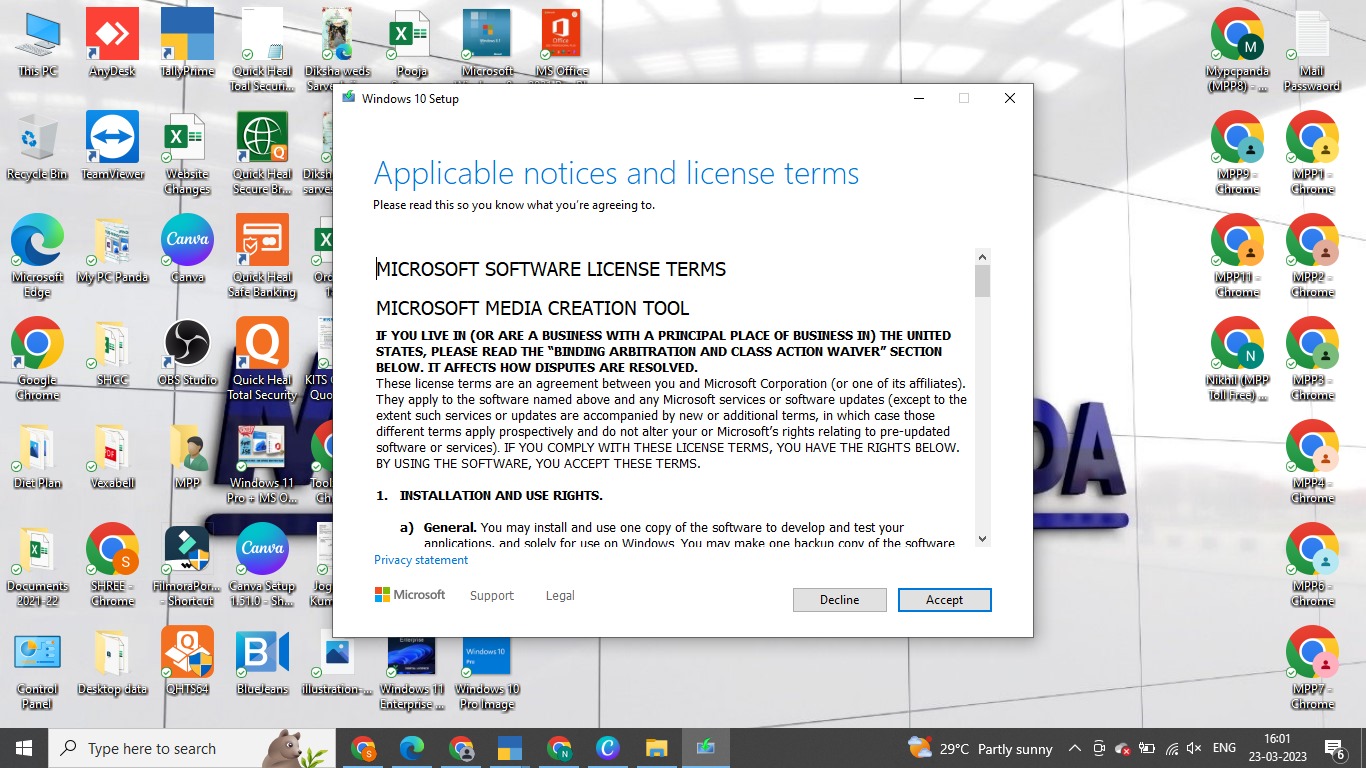
Once you have downloaded the Media Creation Tool, double-click it to run it. You will be asked to accept the license terms, so read through them and then click on the Accept button.
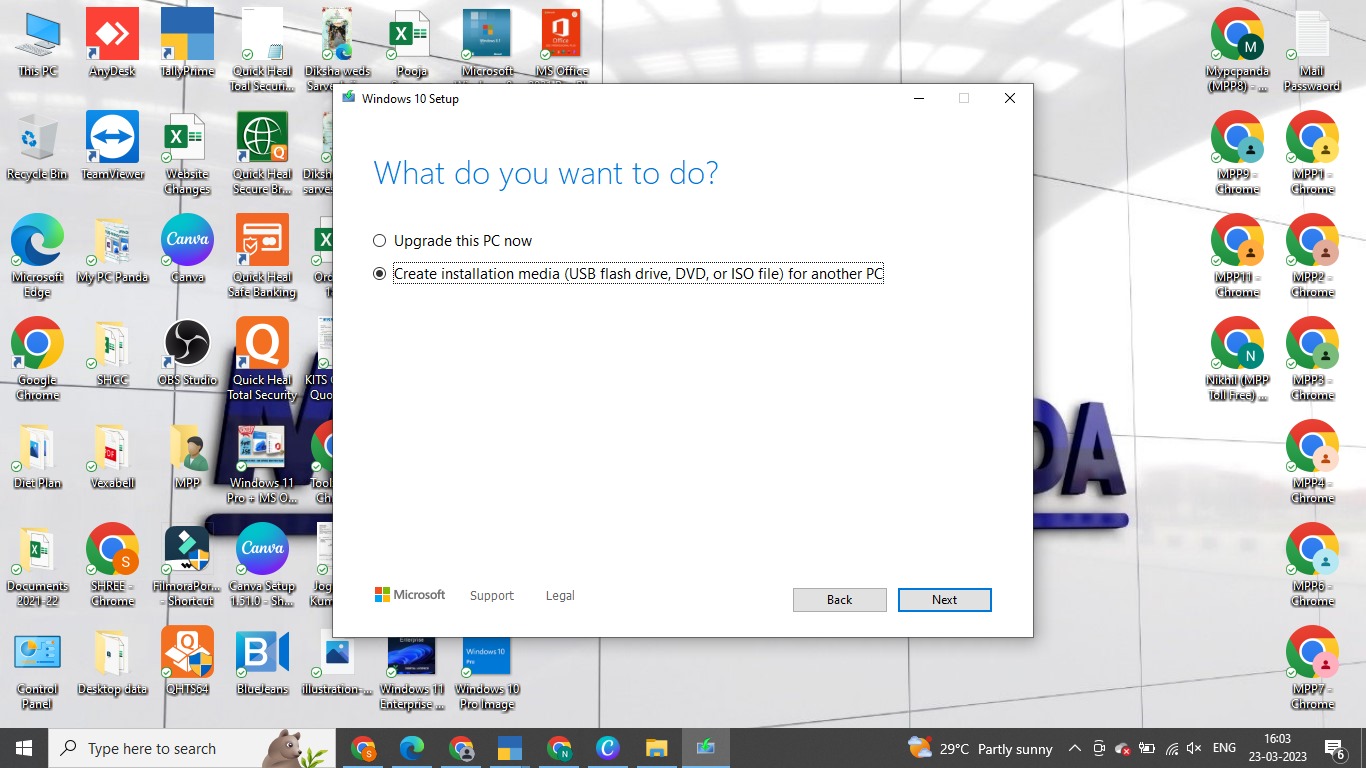
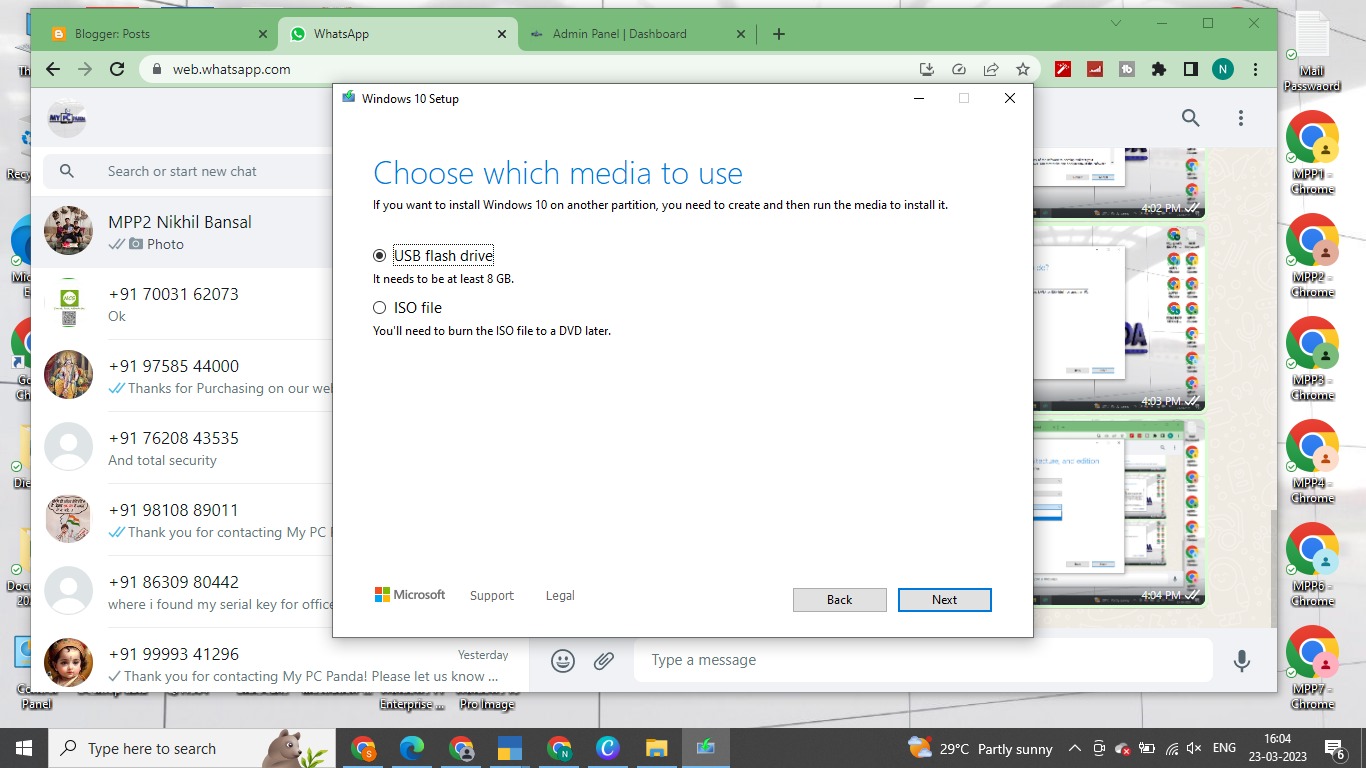
The Media Creation Tool will ask you what type of installation media you want to create. You can choose to create a USB flash drive or a DVD. Click on the Next button once you have made your choice.
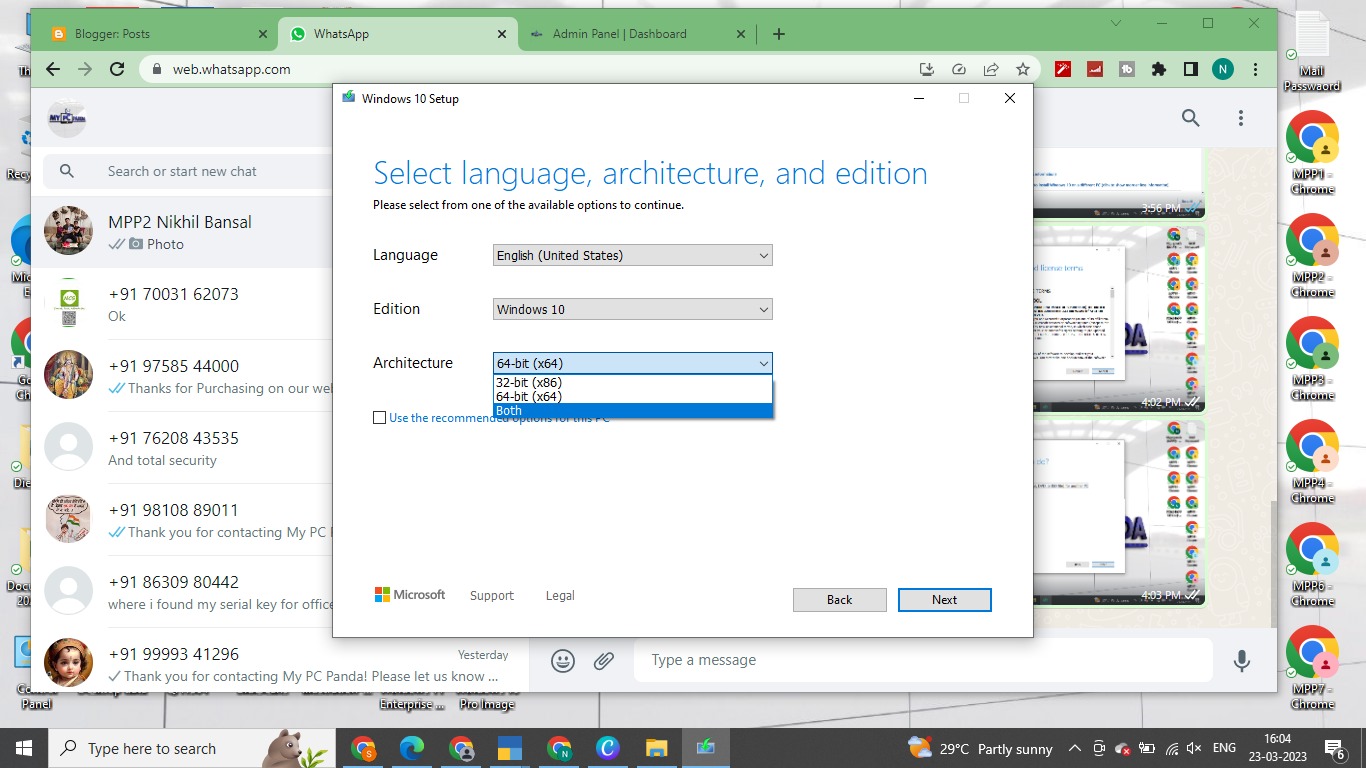
The next step is to select the language and architecture (either 32-bit or 64-bit) that you want to use for the installation. Make your selection and then click on the Next button.
You will then be asked which edition of Windows you want to install. Select Windows 10 Pro from the list and click on the Next button.
Finally, select the location where you want to save the installation media and click on the Next button to start the download process. This may take some time depending on your internet speed.
Once the download is complete, you can use the installation media to install Windows 10 Pro on your computer.
In conclusion, downloading and installing Windows 10 is a straightforward process that anyone can do with ease. By following the steps listed above, you will have Windows 10 bootable USB or ISO file.
Youtube Video - https://www.youtube.com/watch?v=TGLiLdGn9ZQ

Buy Microsoft Windows, MS Office & All Brands Antivirus at wholesale prices.
Visit Website now - www.mypcpanda.com
Now let’s get into the activation process. Here are the steps you need to follow to activate Windows 10 Pro with a product key:
Windows will now verify your product key and activate Windows 10 Edition.
And that’s it! Once the process is complete, you’ll notice that the Activate Windows watermark will disappear from your desktop, and your machine will be running Windows 10 in its fully activated mode.
Buy Windows 10 Pro Product key