


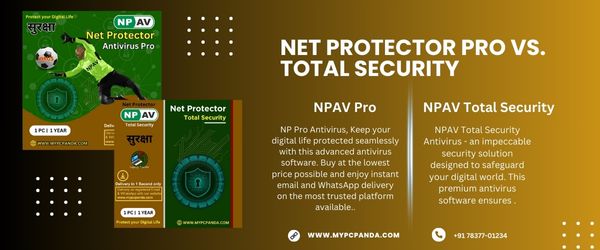
Choosing between Net Protector Pro vs Total Security is important for users who want the right balance between antivirus protection, internet security, ransomware defense, system performance, and online privacy. Both antivirus editions are developed by Net Protector Antivirus and are designed to protect Windows systems from viruses, malware, spyware, ransomware, phishing attacks, and unsafe online activities.
However, the difference between these editions becomes very important when users perform online banking, office work, remote access, file sharing, internet browsing, or business-related activities. While Net Protector Pro mainly focuses on basic antivirus protection, Net Protector Total Security includes multiple advanced layers such as firewall protection, ransomware defense, anti-phishing tools, behavior analysis, privacy features, and internet security tools.
For users planning to buy antivirus software for home use, office work, business systems, or online protection, understanding the feature difference between these editions helps in choosing the correct security solution.
Net Protector Pro is a lightweight antivirus edition mainly designed for users who need essential malware protection and basic real-time security. It continuously scans files, applications, downloads, USB devices, and system activities to detect viruses, worms, trojans, spyware, and malware threats.
This edition is suitable for:
Students
Basic home users
Simple office work
Older systems
Light internet browsing
Entry-level antivirus protection
Users who mainly require protection against normal viruses and malware without advanced internet security tools may find Net Protector Pro sufficient for daily usage.
According to the official edition comparison page, Net Protector Pro includes:
Real-time malware protection
Cloud-based scanning
Smart application control
OS protection
Remote access shield
Anti-ransomware detection
Multilayer antivirus engine
Net Protector Total Security is an advanced antivirus solution that includes stronger multi-layer internet security features along with antivirus protection. It is designed for users who spend significant time online, perform banking transactions, work remotely, use office systems, or store important personal and business data.
According to official NPAV feature listings, Total Security includes:
Firewall protection
Anti-phishing protection
Behavior heuristic detection
Ransomware LAN shield
Data backup tools
Adware blocker
Privacy protection
Internet security tools
Because of these additional security layers, Total Security provides broader protection compared to the Pro edition.
Both editions provide:
Virus detection
Malware scanning
Spyware protection
Real-time monitoring
USB protection
Cloud-based threat detection
However, Total Security includes stronger behavioral analysis and internet-focused protection layers for modern cyber threats.
Basic malware-focused security with limited advanced network filtering.
Includes dedicated firewall protection that monitors both incoming and outgoing internet traffic and blocks suspicious network connections.
Firewall protection becomes important for users using:
Public Wi-Fi
Office networks
Remote work systems
Online banking
Business servers
Ransomware is one of the biggest modern cyber threats because it can encrypt files and demand payment for recovery.
Provides standard malware and ransomware detection.
Includes:
Behavior heuristic detection
Ransomware LAN shield
Automatic backup support
Advanced ransomware monitoring
These extra features help reduce the risk of file encryption attacks and network-based ransomware infections.
Mainly focuses on local device malware scanning.
Includes additional internet security features such as:
Anti-phishing protection
Unsafe website blocking
Credential theft prevention
Online browsing security
Adware blocker
This makes Total Security more suitable for users who regularly browse the internet, shop online, or use banking websites.
One major advantage of Total Security is its privacy-focused protection tools.
According to NPAV feature pages, advanced editions include:
Webcam protection
Microphone protection
File locker
File shredder
Data encryption tools
These tools help users secure sensitive personal and business information more effectively.
Both antivirus editions are designed to provide lightweight system protection, but Total Security includes additional optimization features such as:
System tuner
Adware cleanup
Performance monitoring
Internet bandwidth optimization
| Feature | Net Protector Pro | Net Protector Total Security |
|---|---|---|
| Virus Protection | Yes | Yes |
| Malware Protection | Yes | Yes |
| Real-Time Security | Yes | Yes |
| Firewall Protection | Limited | Advanced |
| Anti-Phishing Protection | No | Yes |
| Ransomware Protection | Basic | Advanced |
| Behavior Heuristic Detection | Limited | Yes |
| Data Backup Protection | No | Yes |
| Web Security | Basic | Advanced |
| Adware Blocker | No | Yes |
| Webcam Protection | No | Yes |
| Microphone Protection | No | Yes |
| File Locker | No | Yes |
| Privacy Tools | Basic | Advanced |
| Best For | Basic users | Online & business users |
For users who mainly perform:
Online classes
Basic browsing
Office documents
YouTube & entertainment
Simple daily tasks
Net Protector Pro may be sufficient.
However, users who regularly perform:
Online banking
UPI transactions
Remote office work
Frequent file downloads
Sensitive document storage
Business communication
should prefer Net Protector Total Security for stronger internet and privacy protection.
Business systems usually require stronger protection because they handle:
Customer data
Financial records
Office communication
Remote access systems
Shared office networks
Business documents
For business environments, Net Protector Total Security is usually the better option because it includes:
Firewall security
Anti-phishing protection
Privacy tools
Data backup support
Advanced ransomware defense
Internet security layers
Today businesses and professional users often combine antivirus software with properly activated productivity and operating system environments for stronger overall security.
Many users combine:
Microsoft Windows
MS-Office
Quick Heal
K7-Antivirus
Kaspersky
Guardian
Net Protector NPAV
McAfee
E-SET Antivirus
to build stronger multi-layer security systems for office and personal environments.
Using properly activated software solutions helps improve:
Data protection
Business continuity
Online safety
Ransomware protection
Office productivity
Remote work security
Privacy protection
Network stability
Many users search for cracked antivirus versions, but unauthorized software can create major security risks such as:
Fake updates
Backdoors
Spyware
Malware infections
System instability
Privacy breaches
Unsafe browsing environments
Officially activated antivirus software provides:
Regular updates
Official security patches
Stable protection
Safer internet browsing
Reliable ransomware defense
Long-term performance stability
For security software, genuine activation is always safer than pirated versions.
Net Protector Pro vs Total Security mainly depends on the level of protection you require. Net Protector Pro is suitable for users who want lightweight antivirus protection for normal daily usage, while Net Protector Total Security is designed for users who need advanced ransomware defense, firewall security, anti-phishing protection, privacy tools, and stronger internet security.
For users needing stronger multi-layer protection for online browsing, banking, office work, and sensitive business data, Net Protector Total Security offers reliable all-around security. Users can also explore My Pc Panda for antivirus, Microsoft Windows, and MS Office products with instant digital delivery and activation support.