


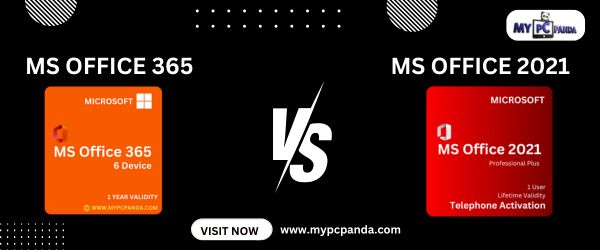
Microsoft Office remains one of the most important productivity software solutions for students, professionals, businesses, freelancers, and office users. Whether you create documents, spreadsheets, presentations, reports, emails, or business projects daily, using reliable Office software helps improve workflow efficiency and productivity.
MS Office 365 and Office 2021 both provide powerful productivity applications like Word, Excel, PowerPoint, Outlook, and other Microsoft Office tools. However, both software solutions are designed for slightly different user requirements, productivity preferences, and work environments. Microsoft 365 focuses more on cloud-based productivity, regular feature updates, and collaboration tools, while Office 2021 focuses on traditional one-time purchase productivity software with offline usability.
Whether you use your PC for office work, online meetings, business management, presentations, remote work, education, or multitasking, choosing the right Office solution helps improve software performance and long-term productivity. Users can also explore software solutions like Microsoft-Windows, MS-Office, Kaspersky, K7-Antivirus, Guardian, McAfee, Net Protector-NPAV, and ESET-Antivirus for complete PC productivity and security.
Microsoft Office software helps users manage documents, presentations, spreadsheets, emails, teamwork, and daily productivity tasks efficiently.
Using genuine Office software helps users:
For businesses and professionals, productivity software also improves communication and office management.
| Feature | Microsoft 365 | Office 2021 |
|---|---|---|
| Software Type | Subscription-based | One-time purchase |
| Updates | Regular feature updates | Security updates only |
| Cloud Integration | Advanced cloud support | Basic cloud support |
| Collaboration | Better teamwork features | Standard collaboration |
| Device Usage | Multiple devices | Single device license |
| Internet Dependency | Cloud-focused features | Better offline usability |
| Best For | Modern & hybrid work | Traditional productivity users |
Microsoft 365 is designed for cloud-connected productivity and collaboration. It includes Microsoft Office applications together with cloud services, regular updates, and collaboration tools. Microsoft states that Microsoft 365 users continuously receive new features, security improvements, bug fixes, and productivity enhancements.
Microsoft 365 may include:
Microsoft 365 is commonly preferred by businesses, remote workers, and users needing flexible cloud-based productivity.
Office 2021 focuses on traditional desktop productivity with one-time purchase licensing. It provides classic Office applications without recurring subscription payments.
Office 2021 may include:
Office 2021 is commonly preferred by users who want traditional Office software without monthly or yearly subscription payments.
Microsoft 365 provides stronger collaboration features with cloud integration, real-time teamwork, multi-device syncing, and online file access. These features are useful for businesses, remote employees, hybrid workplaces, and collaborative teams.
Office 2021 focuses more on stable offline productivity and traditional desktop software usage. It is useful for users who mainly work on a single PC and prefer one-time software ownership.
One major difference between both solutions is software updates.
Microsoft 365 users regularly receive:
Office 2021 mainly receives security updates and stability improvements without major feature additions.
My Pc Panda provides digital software licenses for Microsoft Office, Microsoft Windows, and antivirus products. Users can purchase software online and receive activation details digitally through Email and WhatsApp after successful order completion.
Users can also explore:
MyPcPanda also provides installation and activation guidance for users requiring setup assistance.
MS Office 365 and Office 2021 both provide powerful productivity tools for students, professionals, businesses, and office users.
Microsoft 365 focuses more on cloud-connected productivity, regular feature updates, collaboration tools, and flexible multi-device usage. Office 2021 focuses on traditional offline productivity with one-time purchase licensing and stable long-term software usage.
Choosing the right Office solution depends on your work style, collaboration requirements, device usage, and productivity preferences.